Create a Dinnertime
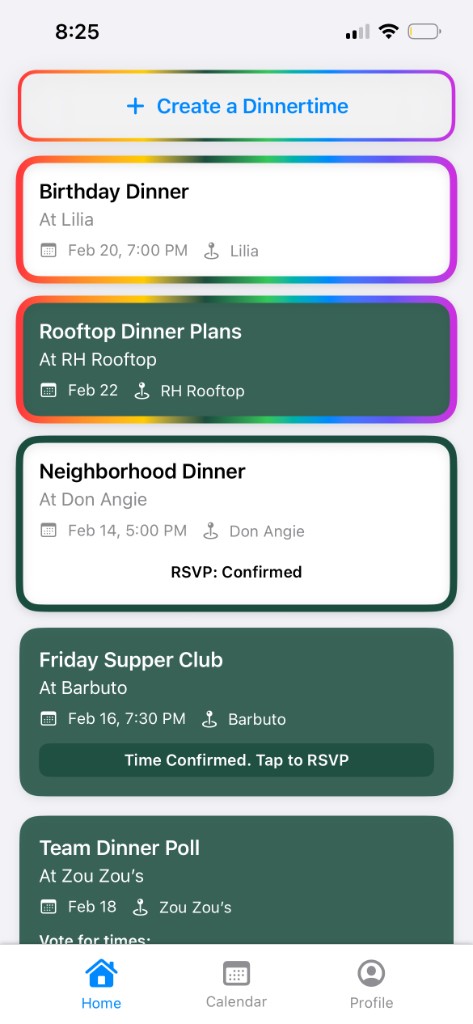
Name the dinner, add a place or a few options, and give everyone one home for the plan.

Dinner plans, finally organized
Dinnertime helps friends and teams coordinate dinner without the group-chat chaos. Collect RSVPs, vote on times, book a table, and keep the photos in one shared place.
Built for every dinner
Name the dinner, add a place or a few options, and give everyone one home for the plan.
See who is in, who is out, and who still needs a nudge before you make the reservation.
Let guests vote on times so the group can settle on a slot that actually works.
Dinnertime can help book the reservation, then save photos from the night in a shared dinner memory.
How it works
Create a Dinnertime for a birthday, team dinner, date night, or weekly supper club.
Invite guests, gather RSVPs, vote on times, and lock in the plan.
Let us help with the booking, then keep the best dinner photos together afterward.
Topic-based sections for conversation
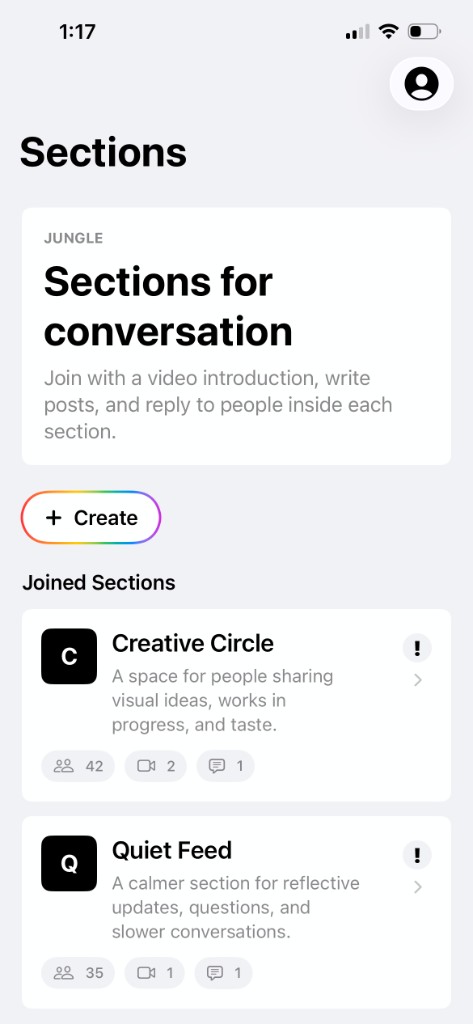
Jungle lets you create sections based on topics. Join a section with a video introduction, then post updates, start conversations, and reply to people inside the section.
Built for focused communities
Make a section for any subject, community, or recurring conversation that deserves its own home.
People introduce themselves with video so every section starts with a little more context and trust.
Once someone joins, they can publish posts that keep the topic moving and give everyone something to respond to.
Replies keep discussion threaded inside the section, making it easy to follow and join the conversation.
Encrypted photo messages
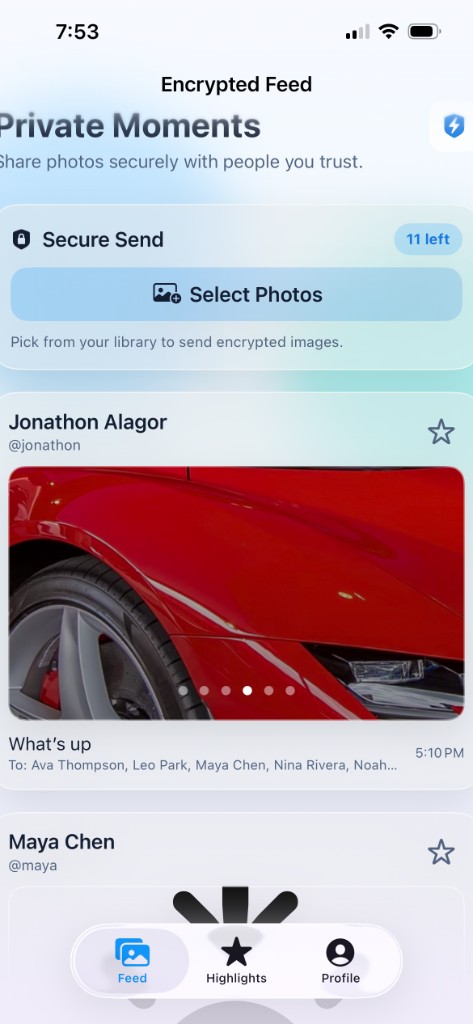
Image Send is for sending encrypted photo messages. Send safely and securely to anyone on your friends list, then highlight the images you want to set aside and come back to later.
Built for private photo sharing
Share photo messages with encryption built in, so private images are sent with safety in mind from the start.
Send to anyone on your friends list without rebuilding groups or searching for trusted people every time.
Mark the images you want to set aside, making important photos easier to find after the conversation moves on.
Image Send keeps the experience focused on safe, secure photo messaging between people you already trust.

Agentic social network for founders
Agentic Blue is an agentic social network for founders. Write raw text in the editor and Agentic Blue turns it into a business friendly post for founder-led distribution.
Built for founder distribution
Start with rough thoughts, notes, or founder updates without needing to make the first pass polished.
Agentic Blue shapes your writing into a clear post made for founder-led distribution.
Build your own network around people you care about, without an algorithm deciding what deserves attention.
Read and publish with private views, so the focus stays on the writing and the people behind it.